# Deploy GraphCommerce
# Deploy a Graphcommerce app with Vercel
Congratulations, you are ready to deploy your GraphCommerce storefront to
production. The fastest way to deploy your GraphCommerce app is with
[Vercel ↗](https://vercel.com/).
Vercel allows for automatic deployments on every branch push and merges onto the
Production Branch of your GitHub project:
- Login to Vercel, click the "New Project" button
- Import your Git Repository. Use the search to type your project's name. If
it's not showing up, click the 'Configure Github App' to grant Vercel
repository access

- Optionally set the Environment Variables to override [config](./config.md)
```bash
GC_LIMIT_SSG=0
```
- Vercel will auto assign a domain to your project. In this example, the Github
project repository name is `graphcommerce-example`, so the domain will be
`https://graphcommerce-example.vercel.app`. Add this domain as the GraphQL and
Public site URL Environment Variables:
```bash
GC_CANONICAL_BASE_URL="https://graphcommerce-example.vercel.app/"
```
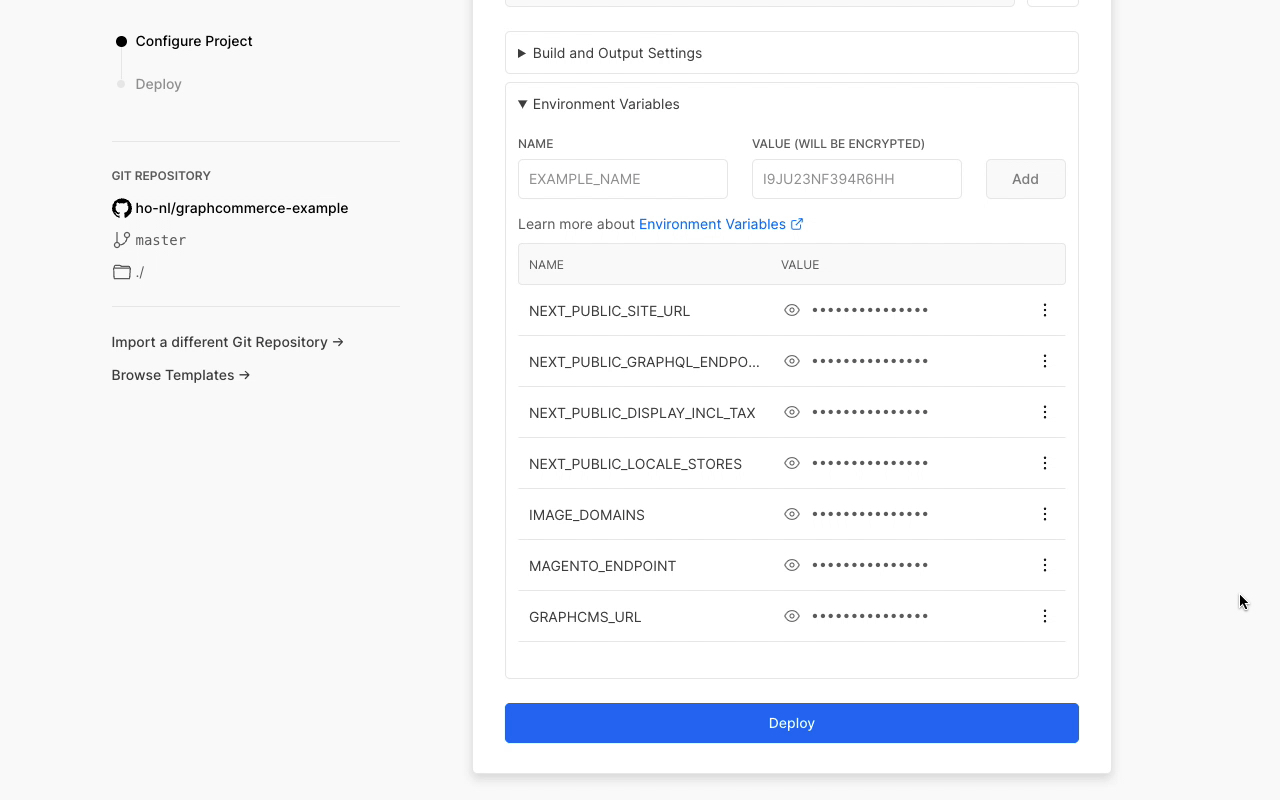
- Hit the "Deploy" button
- A custom domain can be configured in the Vercel Project Settings. Update the
and `GC_CANONICAL_BASE_URL` variable afterwards.
## Next steps
- Learn about [Static Generation (SSG)](../framework/static-generation.md) in
GraphCommerce