# Hygraph Dynamic Rows
As you might have learned, Dynamic Rows enable the addition of rows across
multiple pages through rule-based relationships, rather than manually adding a
row to each page. These rules hinge on shared attributes among the pages, with a
category being a typical example of such an attribute. To enable the Dynamic Row
UI Extension, follow the installation instructions as below.
> Installation: [Click here to install the Dynamic Row UI Extension](https://app.hygraph.com/apps/dynamic-row-property-picker/new)
 ## Enabling the Application
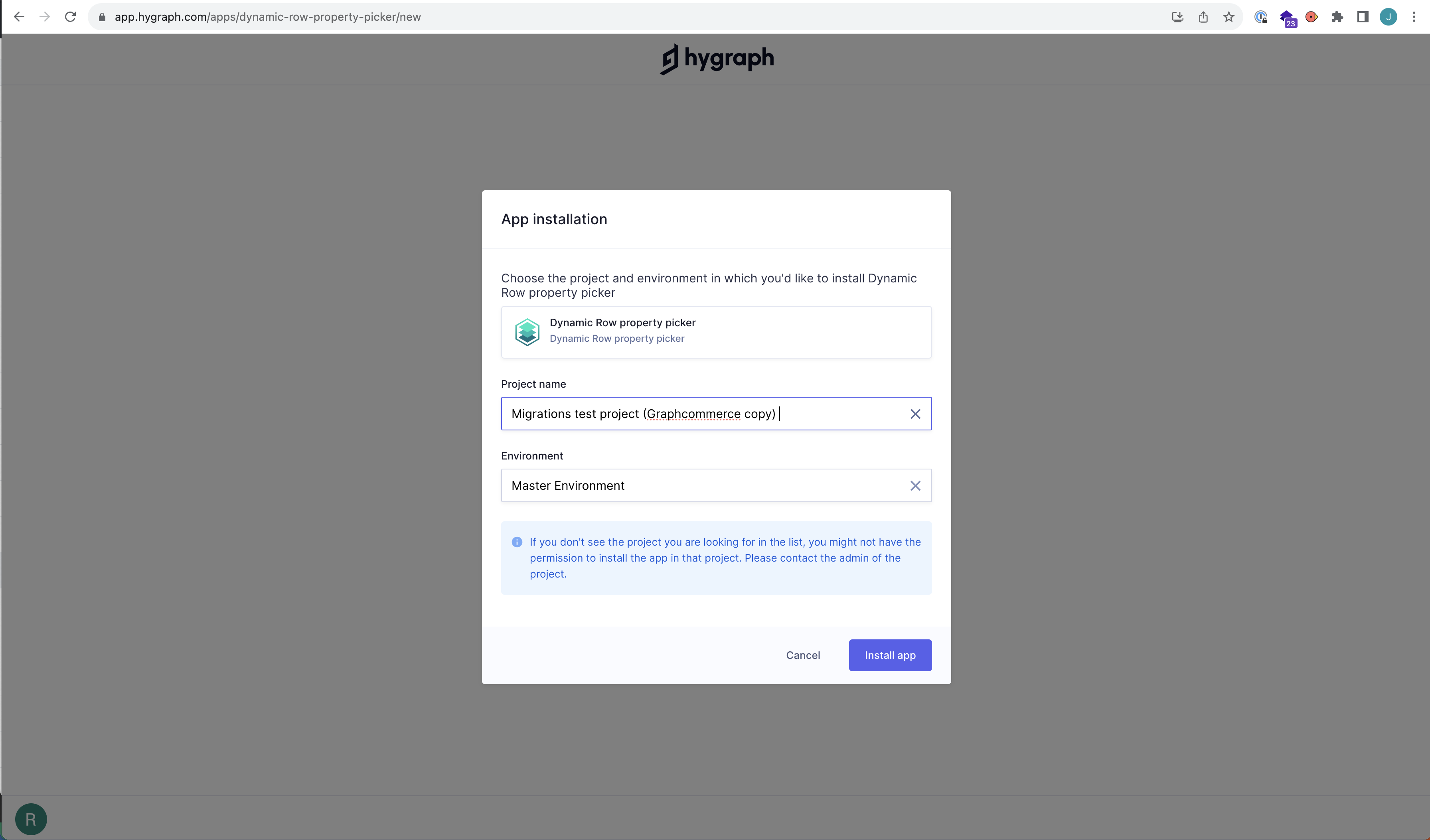
Once you click the link and authorize the application, you'll be taken to the
app's configuration page. On this page, you can switch the application on or off
as needed.
## Enabling the Application
Once you click the link and authorize the application, you'll be taken to the
app's configuration page. On this page, you can switch the application on or off
as needed.
 ## Enabling the field
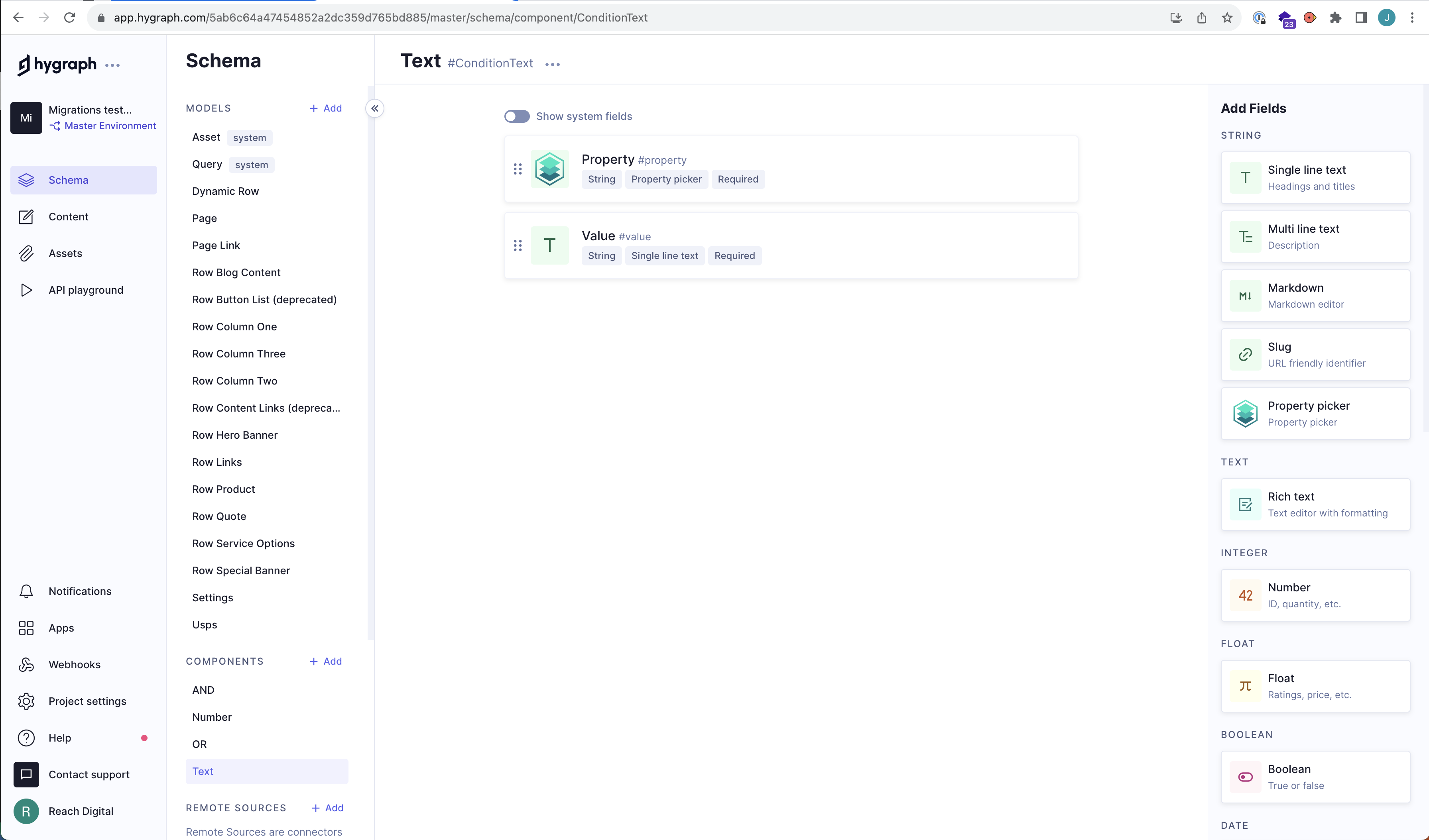
Now to enable the field, go to your Hygraph schema. Under components you should
have a `Text` and `Number` component. Each of these have a field with api ID
`property`. You will have to delete this field in both components. This will
result in current field data being lost, so in case you are migrating to the
extended UI, make sure to have a copy of those fields somewhere else.
> Note
>
> Make sure you migrated your schema to Graphcommerce 7.0 with
> [our Hygraph-CLI.](./cli.md)
Replace the existing fields with the new `Property picker` field in the right sidebar
(it should be under `Slug` and above `Rich text`). While adding the
`Property picker` field make sure that you make it `required`.
## Enabling the field
Now to enable the field, go to your Hygraph schema. Under components you should
have a `Text` and `Number` component. Each of these have a field with api ID
`property`. You will have to delete this field in both components. This will
result in current field data being lost, so in case you are migrating to the
extended UI, make sure to have a copy of those fields somewhere else.
> Note
>
> Make sure you migrated your schema to Graphcommerce 7.0 with
> [our Hygraph-CLI.](./cli.md)
Replace the existing fields with the new `Property picker` field in the right sidebar
(it should be under `Slug` and above `Rich text`). While adding the
`Property picker` field make sure that you make it `required`.
 ## Start building with your new Dynamic Rows UI!
If you have any questions about the feature, please reach out to us in our Slack
channel.
## Start building with your new Dynamic Rows UI!
If you have any questions about the feature, please reach out to us in our Slack
channel.